Security & permissions
Your data, locked down and accounted for
Database-level isolation between workspaces, permissions down to the record, and a full history of every change.
Workspace isolation
Every workspace’s data is fenced off at the database level with row-level security, and tested continuously to prove one workspace can never reach another.
Roles & permissions
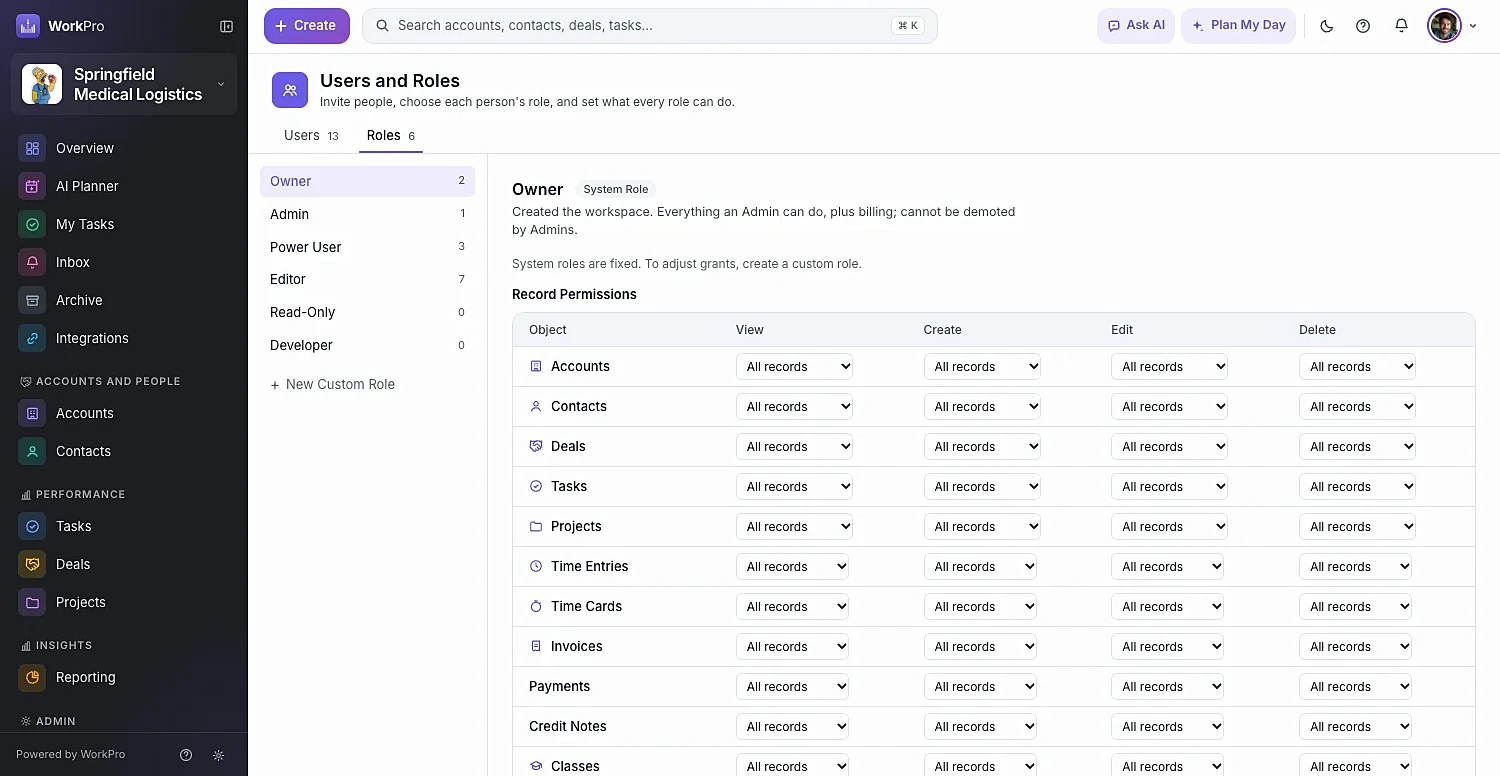
Owner, Admin, Power User, Editor, Read-Only and Developer roles — plus custom roles with view, create, edit and delete scoped to all, team, own or none.
Audit log on every record
Every field change is recorded with its before and after values, who made it and when.
Nothing is lost by accident
Deleted records move to the Archive with all their links and restore exactly as they were. Removed custom fields keep their values.
AI with a human in the loop
WorkPro AI proposes changes as cards. Nothing is saved until a person confirms it.
Secure sign-in
Sign in with Google, or email and password with a six-digit verification code.
FAQ
Security questions
Straight answers about what WorkPro does today. Can’t find yours? Ask us during a demo.
Can people in one workspace see another workspace’s data?
No. Workspaces are isolated at the database level using row-level security, and an automated test suite provisions separate workspaces to prove reads, updates and deletes across them all fail.
Can I limit what each person sees?
Yes. Roles control view, create, edit and delete for each type of record, scoped to all records, only their team’s, only their own, or none. Shared links and archived records only ever show what the viewer is permitted to see.
What happens when someone leaves?
Make them inactive to stop them signing in while keeping their history, or remove them and choose who takes over their records. Their past activity stays as history.
Where can I read your privacy policy?
Our privacy policy is at app.workapps.app/privacy. Questions can go to privacy@workapps.app.

Run your whole business from one app
See WorkPro with your own pipeline, projects and invoices in a 30-minute walkthrough. We’ll help you import your data, too.