Skip to content

Projects & tasks

Projects that start where the deal closed

Sections, boards, lists and a drag-to-schedule Gantt chart — and because projects live in your CRM, every task can also sit on the account and deal it belongs to.

A WorkPro project Gantt chart with task bars, sections and a line marking today
kickoff project from a won deal, open tasks included
1-click
kickoff project from a won deal, open tasks included
project views: overview, list, board and Gantt
4
project views: overview, list, board and Gantt
homes per task — accounts, contacts, deals and projects
∞
homes per task — accounts, contacts, deals and projects

Gantt

Drag to schedule. Release to save.

Bars run from start to due date, and a task with only a due date is a diamond. Drag a bar to move a task, drag either end to change one date, or drag across an empty row to give an undated task its dates.

  • A line marks today; zoom by days, weeks or months
  • See every project’s timeline at once from the Projects list
  • Changes save the moment you let go
  • Sections keep phases like Planning and Execution tidy
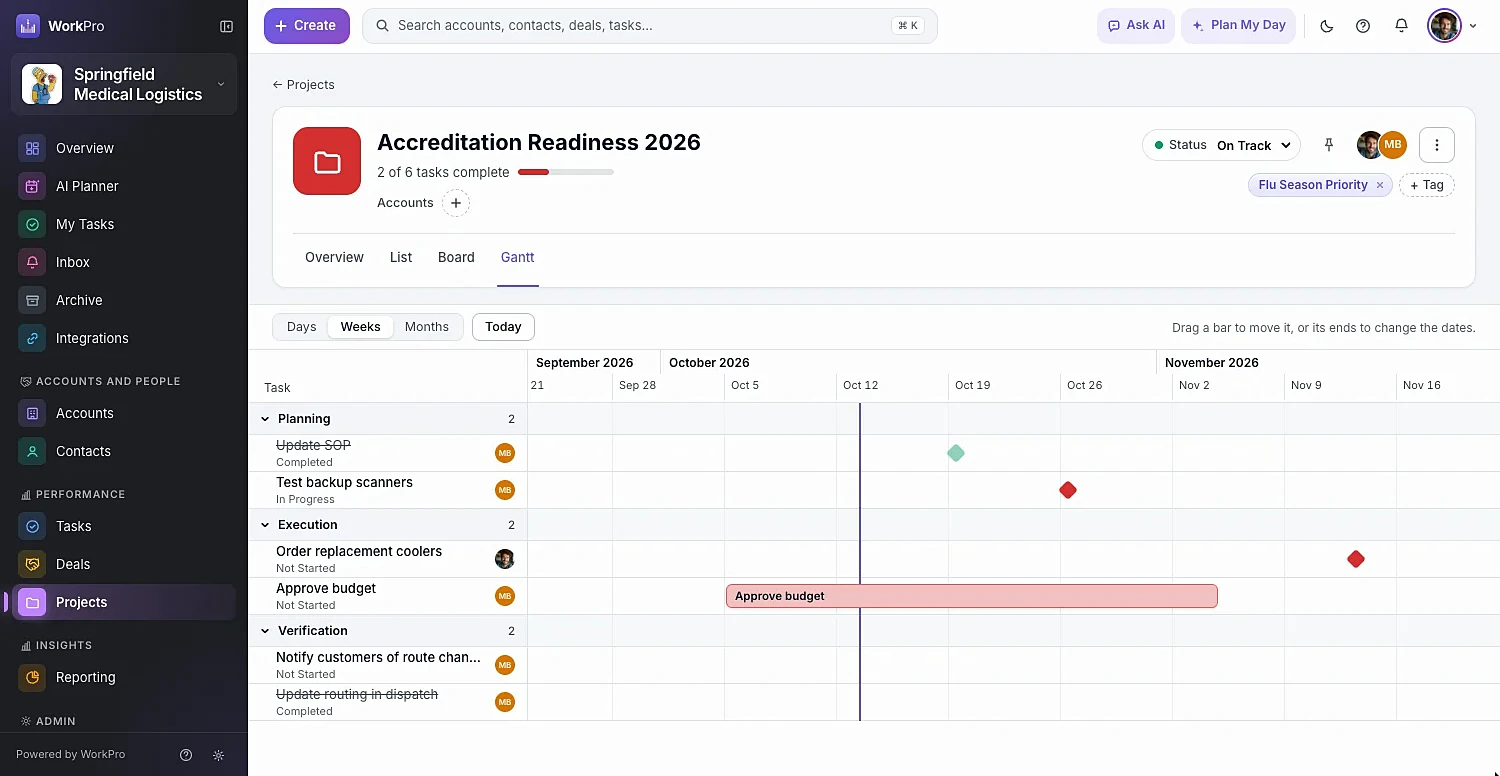
Dragging tasks on the WorkPro Gantt chart

Projects

Know which projects need attention before they slip

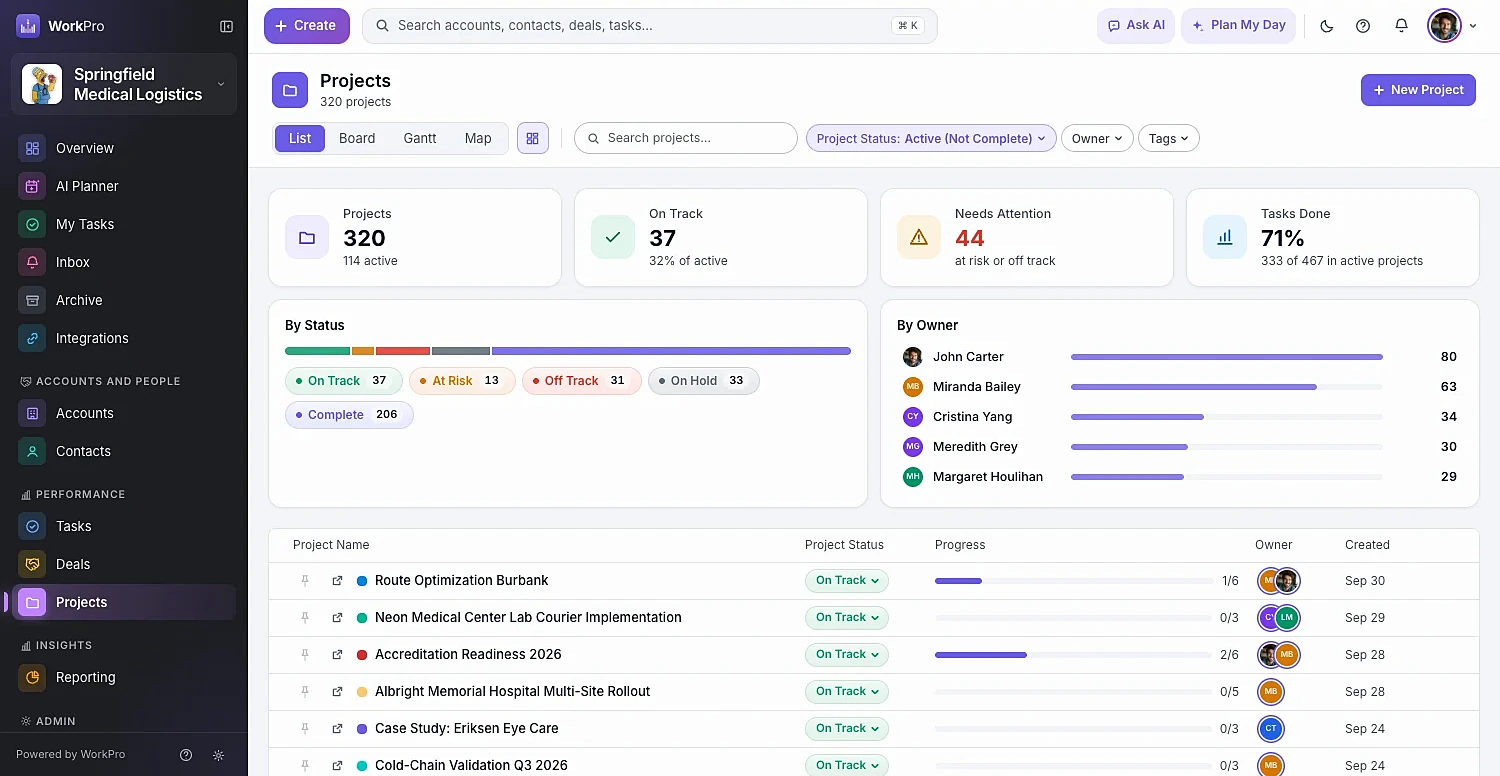
The Projects list shows status, progress, owner and how many projects are on track versus needing attention. Each project has an overview with progress, open tasks, next due, members, activity and files.

  • On Track, At Risk, Off Track, On Hold and Complete
  • At-risk projects surface on the Overview dashboard
  • List, board, Gantt and map views of all projects
  • Add existing tasks to a project without duplicating them
The WorkPro projects list with status, progress bars and owners

Tasks

Tasks with everything a real team needs

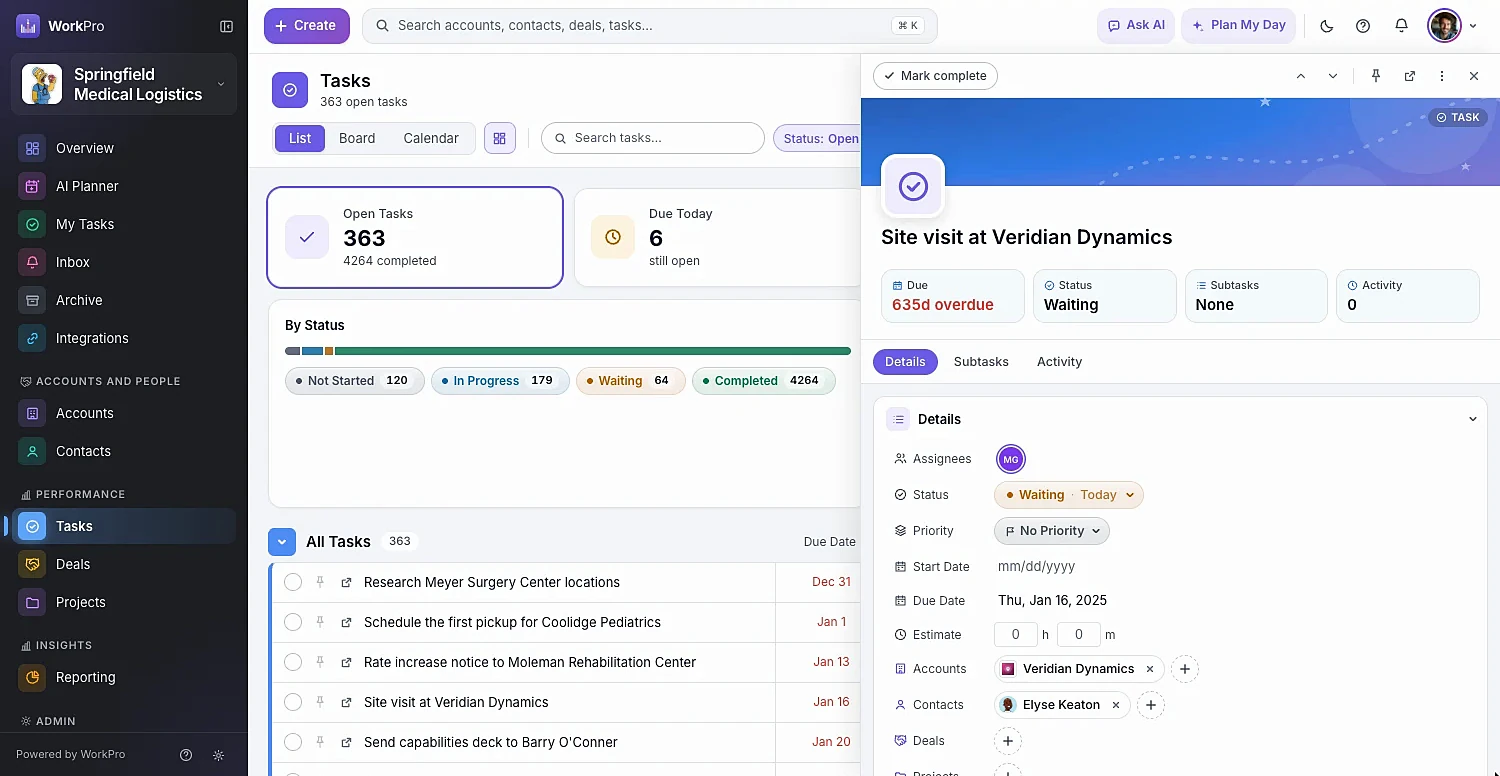
Multiple assignees, status, priority, start and due dates, estimates, tags, subtasks and comments with @mentions. Link a task to any number of accounts, contacts, deals and projects — it shows up on each.

  • Quick Add from anywhere with Tab then Q
  • Subtasks with a done count, and a comment thread
  • Estimates feed Plan My Day
  • Team Tasks with an Open by Assignee chart and an Unassigned filter
A WorkPro task open in the side pane with subtasks and activity

My Tasks

One personal list for everything on your plate

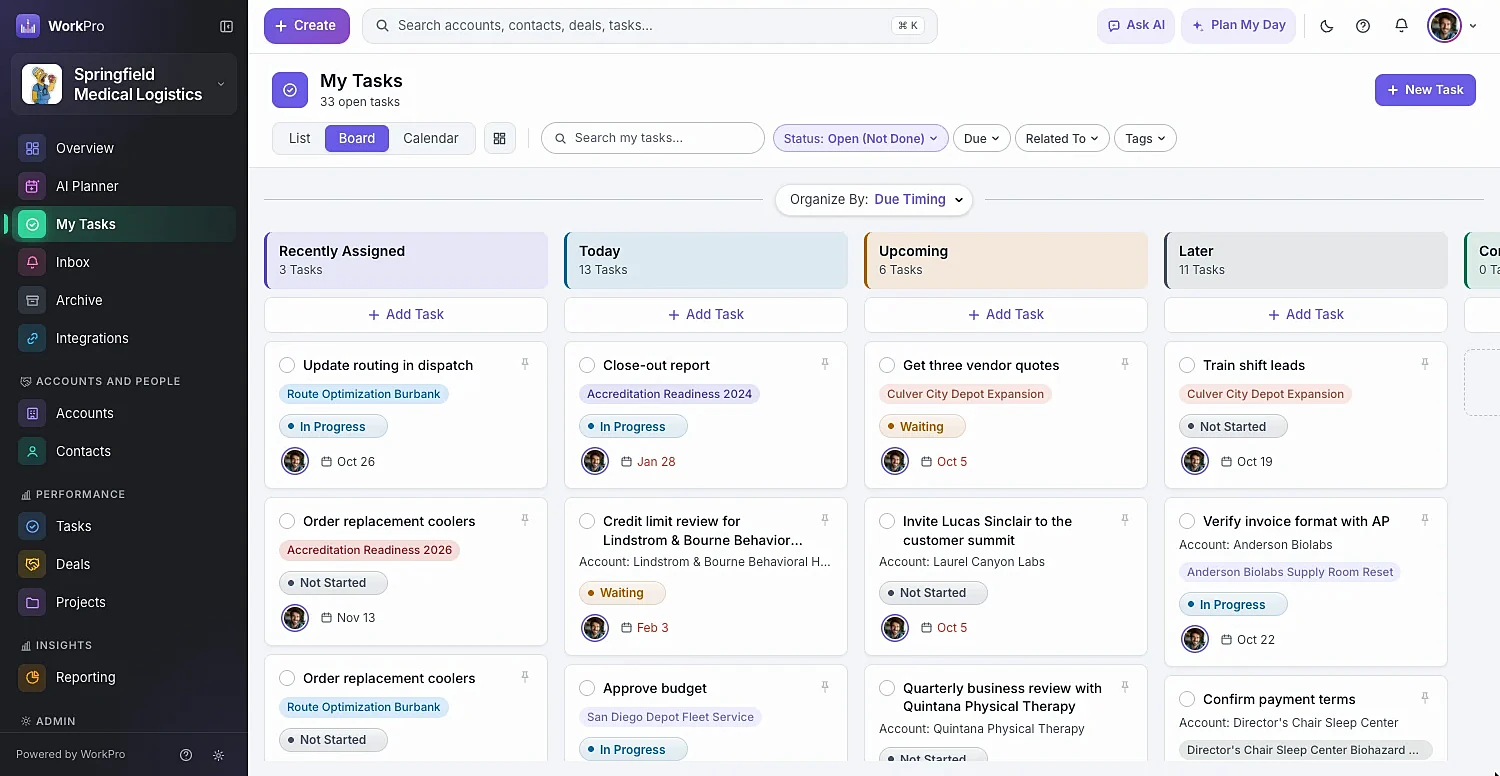
My Tasks groups your work into Recently Assigned, Today, Upcoming and Later, plus tasks assigned to your teams. See it as a list, a board by due timing or status, or a calendar with your scheduled calls and meetings.

  • Summary: Open, Due Today, Overdue and Due This Week
  • Calendar colored by status, assignee, due date or related record
  • Custom task statuses and custom My Tasks lists
  • A small celebration when you finish one 🎉
The WorkPro My Tasks board organized by due timing

Capabilities

Project management that knows your customers

  • Deal → project

    Mark Won and create a kickoff project from the deal’s open tasks.

  • Multi-home tasks

    One task on an account, a deal and a project at once.

  • Multiple assignees

    Share a task between people, or assign it to a team.

  • Track time on tasks

    Start a timer from any task; billable hours flow to invoices.

  • Calendar views

    Tasks and scheduled activities on one calendar.

  • Projects on the map

    See where your projects are happening.

  • Custom statuses

    Shape task statuses to match how your team works.

  • @mentions & notifications

    Assigned, mentioned, status changes and due dates land in your Inbox.

  • Keyboard-first

    Tab+Q quick add, Enter-to-add rows and J/K to move between tasks.

Better together

It all runs on the same records

Every WorkPro module shares your accounts, contacts and deals — so the work flows from one to the next.

FAQ

Projects & Tasks questions

Straight answers about what WorkPro does today. Can’t find yours? Ask us during a demo.

Does WorkPro have Gantt charts?

Yes. Every project has a Gantt view where you drag bars to reschedule tasks, drag an end to change one date, or drag across an empty row to give an undated task dates. The Projects list also has a read-only Gantt of every project at once.

Can I turn a won deal into a project?

Yes. When you mark a deal won, WorkPro offers to create a kickoff project from it, copying the deal’s open tasks into the new project.

Can a task belong to more than one project or record?

Yes. A task can be linked to any number of accounts, contacts, deals and projects, and it appears on each of them.

Do I have to use projects to use WorkPro?

No. WorkPro is a complete CRM without projects. Switch the Projects module on when you need it — and if you turn it off later, it hides and keeps its data.

Run your whole business from one app

See WorkPro with your own pipeline, projects and invoices in a 30-minute walkthrough. We’ll help you import your data, too.