Skip to content

Inventory & orders

Inventory, orders and scanning inside your CRM

Know what’s on hand, what’s committed and what to reorder. Draft purchase orders per vendor in one click, confirm sales orders against real stock, and scan with the phone already in your pocket.

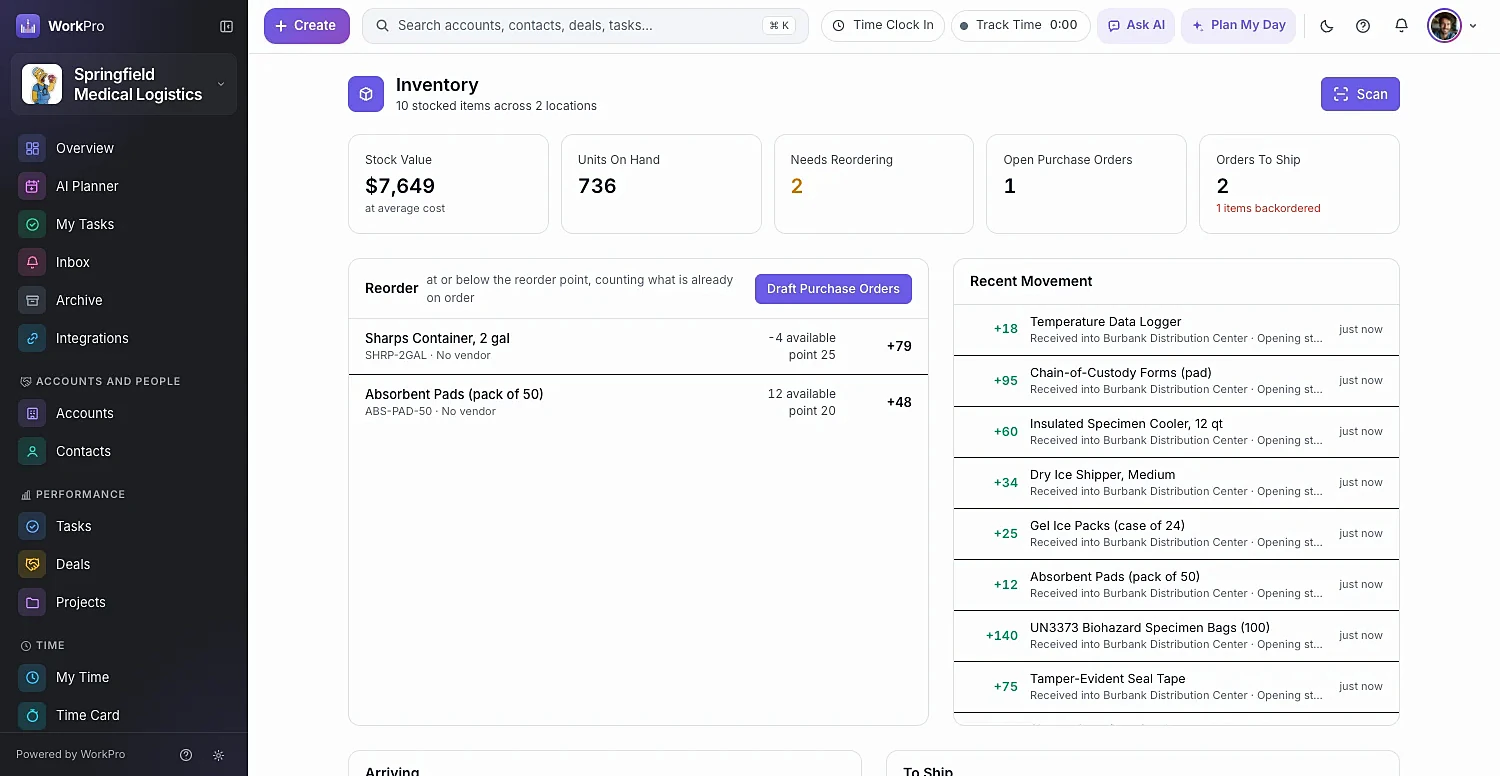
WorkPro inventory overview with stock value, units on hand, reorder list, open purchase orders and orders to ship
scan modes: look up, count, receive and move
4
scan modes: look up, count, receive and move
setup for Bluetooth and USB barcode scanners
0
setup for Bluetooth and USB barcode scanners
purchase orders per preferred vendor from the reorder list
1-click
purchase orders per preferred vendor from the reorder list

Stock

Every product, every location, always current

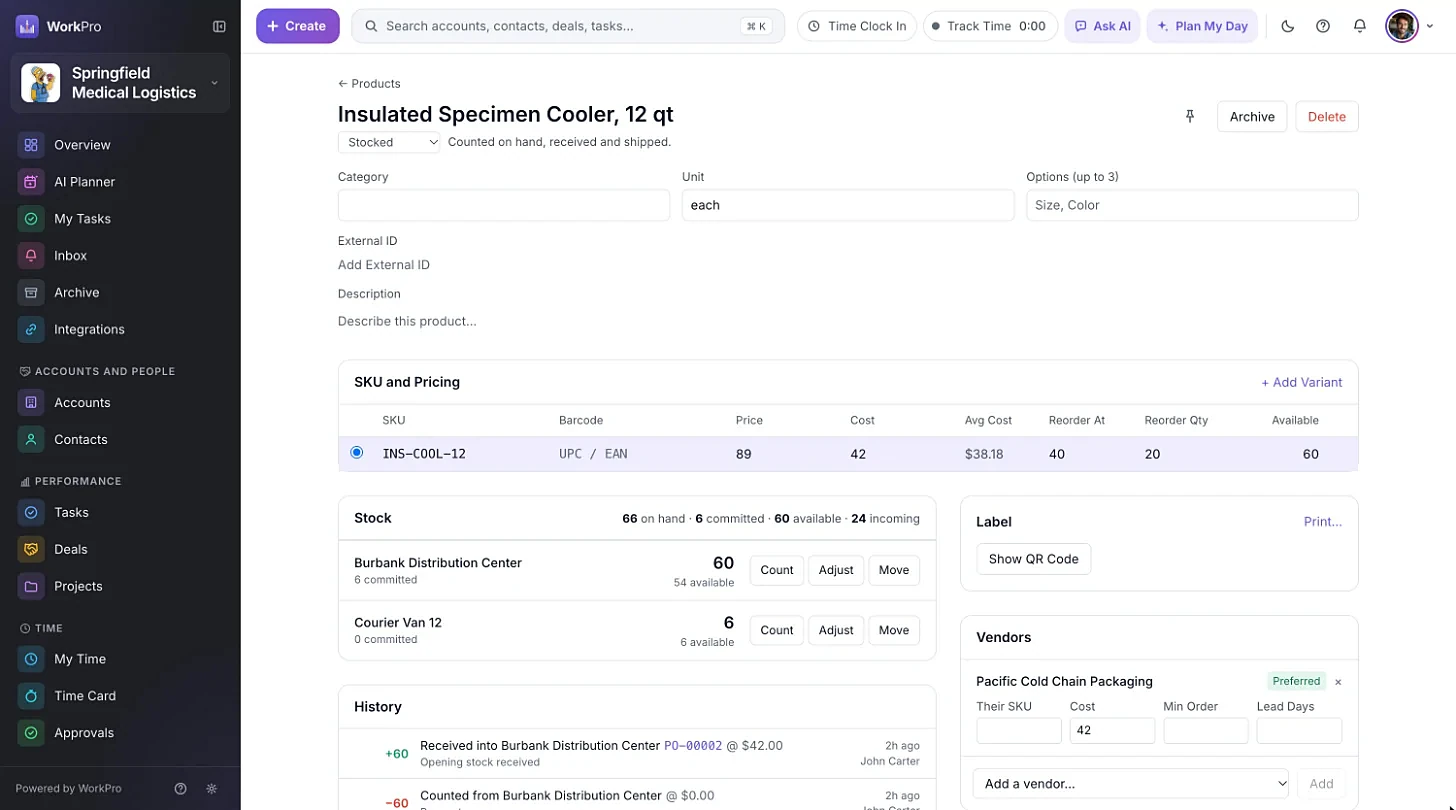
Products show on-hand, available and incoming quantities. Variants each get their own SKU, barcode, price, cost and reorder point, and stock is tracked per location — warehouses, stores and even vehicles.

  • Count, adjust and move stock between locations
  • Vendors with their SKU, minimum order and lead time
  • Full history of every stock movement
  • SKUs created automatically
A WorkPro product page with variants and stock at each location

Reordering

See what’s running low. Reorder in one step.

The Inventory Overview shows stock value, units on hand, what needs reordering, open purchase orders and orders to ship. Select the products below their reorder point and Draft Purchase Orders creates one per preferred vendor.

  • Reorder At and Reorder Qty per variant
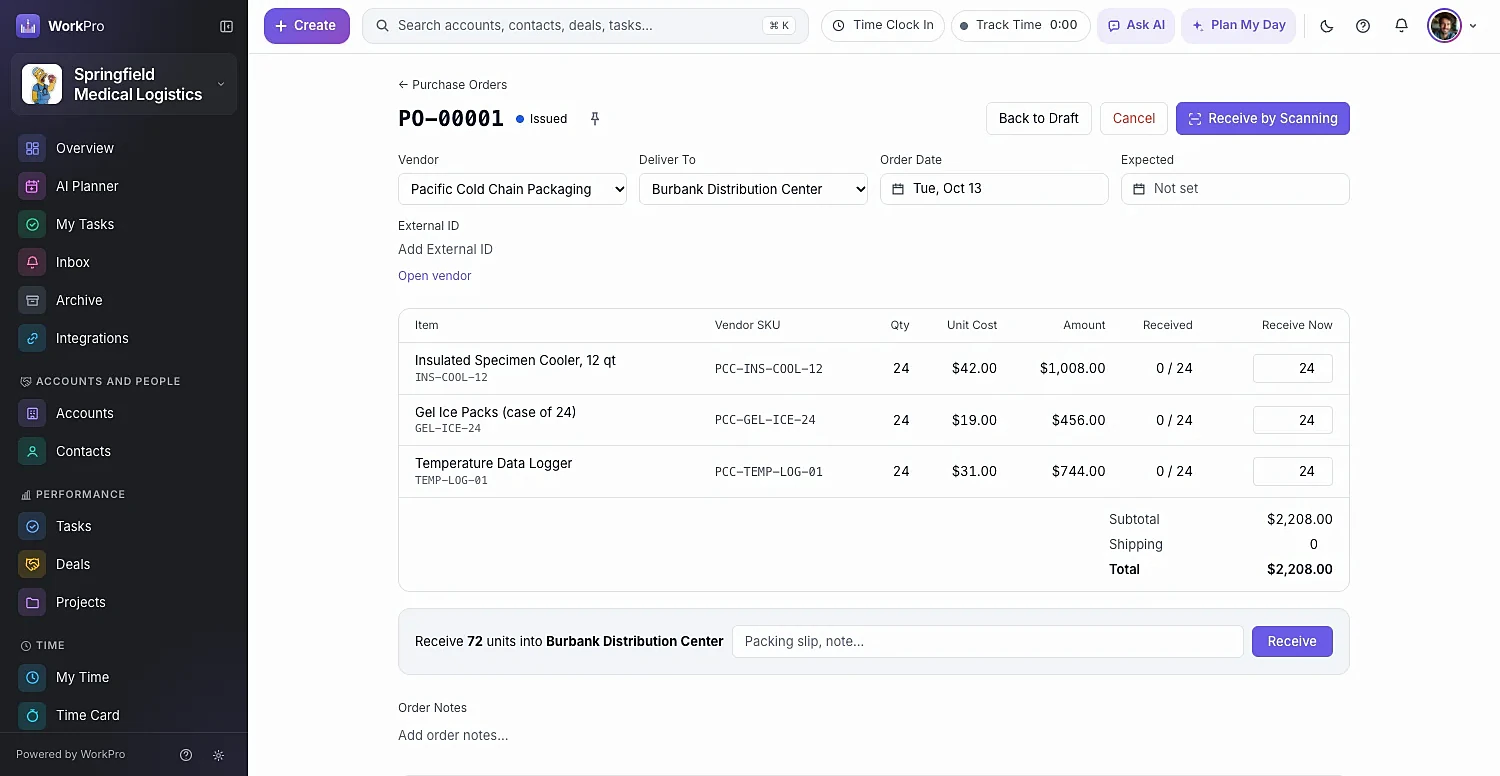
  • Issue the PO to the vendor, then receive line by line
  • Receive by scanning straight into stock
  • Back to Draft, Cancel, Close or Reopen as needed
An issued WorkPro purchase order ready to receive

Sales orders

Orders that reserve real stock

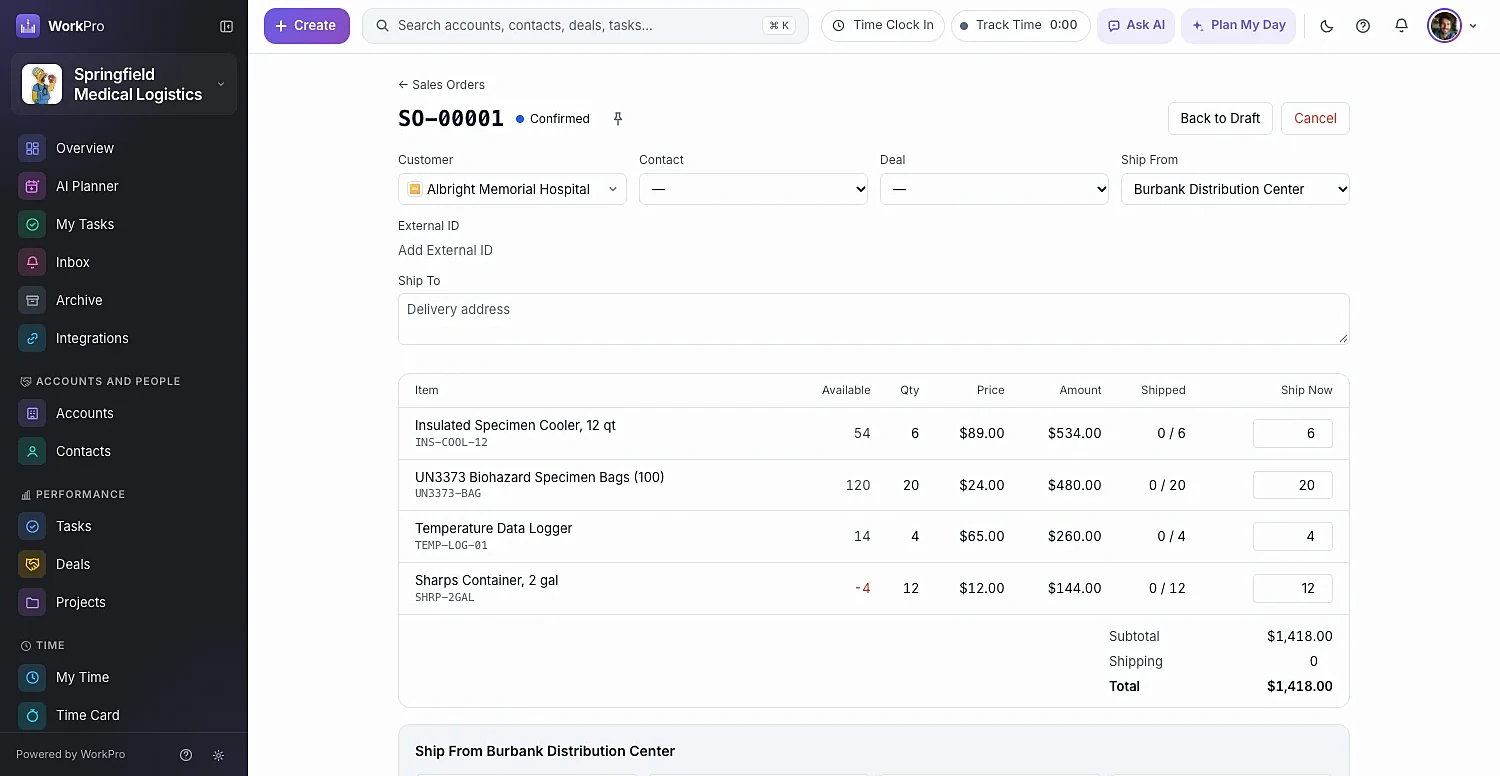
Create a sales order from the account — and link it to the deal. Confirm Order reserves the stock, and any shortfall becomes a backorder automatically. Ship Now records the carrier, service and tracking number.

  • Automatic backorders when stock runs short
  • Kits commit and ship their components
  • Receipts and shipments show on the account timeline
  • One company can be both a customer and a vendor
A confirmed WorkPro sales order

Scanning & labels

Scan with your phone. Print labels that scan back.

Inventory → Scan works with your phone’s camera, a typed SKU, or any handheld Bluetooth or USB scanner — no setup required. Print labels on Avery 5160 sheets or 2″×1″ thermal labels; every label carries a QR code that opens the product in WorkPro.

  • Look Up, Count, Receive against a PO, and Move between locations
  • Camera scanning runs in the browser — nothing to install
  • Choose copies and whether to show the price
  • QR codes only open for members of your workspace

Capabilities

Stock you can trust

Every stock change is recorded as its own movement — a correction is another move, never a silent edit.

  • Append-only stock ledger

    Receipts, shipments, adjustments, counts and transfers, all on the record.

  • Variants

    Own SKU, barcode, price, cost and reorder settings per variant.

  • Multi-location

    Warehouses, stores and vehicles, each with its own stock.

  • Phone camera scanning

    Look up, count, receive and move with the camera you already carry.

  • Plug-and-play scanners

    Bluetooth and USB barcode scanners work with no setup.

  • Invoice from orders

    Products and services flow into invoices and QuickBooks Online.

  • Stock value

    Moving-average cost keeps stock value meaningful.

  • Vendors are accounts

    One company can be both a customer and a vendor.

  • QuickBooks sync

    Products, services and purchase orders sync with QuickBooks Online.

Better together

It all runs on the same records

Every WorkPro module shares your accounts, contacts and deals — so the work flows from one to the next.

FAQ

Inventory questions

Straight answers about what WorkPro does today. Can’t find yours? Ask us during a demo.

Can I scan barcodes with my phone?

Yes. Inventory → Scan uses your phone’s camera right in the browser — there’s no app to install. You can also type a SKU or barcode, or use a handheld Bluetooth or USB scanner with no setup.

Does WorkPro handle purchase orders and sales orders?

Yes. Purchase orders can be drafted from the reorder list (one per preferred vendor), issued to vendors and received line by line or by scanning. Sales orders reserve stock when confirmed, create backorders for any shortfall, and record carrier and tracking when shipped.

Can I track stock in vehicles?

Yes. Locations can be warehouses, stores or vehicles, each with its own stock levels.

What labels can WorkPro print?

Avery 5160 letter sheets (30 per page) and 2″×1″ thermal labels. Each label has a QR code that opens the product in WorkPro for members of your workspace.

Run your whole business from one app

See WorkPro with your own pipeline, projects and invoices in a 30-minute walkthrough. We’ll help you import your data, too.