Skip to content

Invoicing & billing

From billable work to paid invoices — without re-typing

Hours, visits and tasks your team marks billable wait in Ready to Invoice. Create draft invoices for many accounts at once, send them, record payments and see exactly what’s owed.

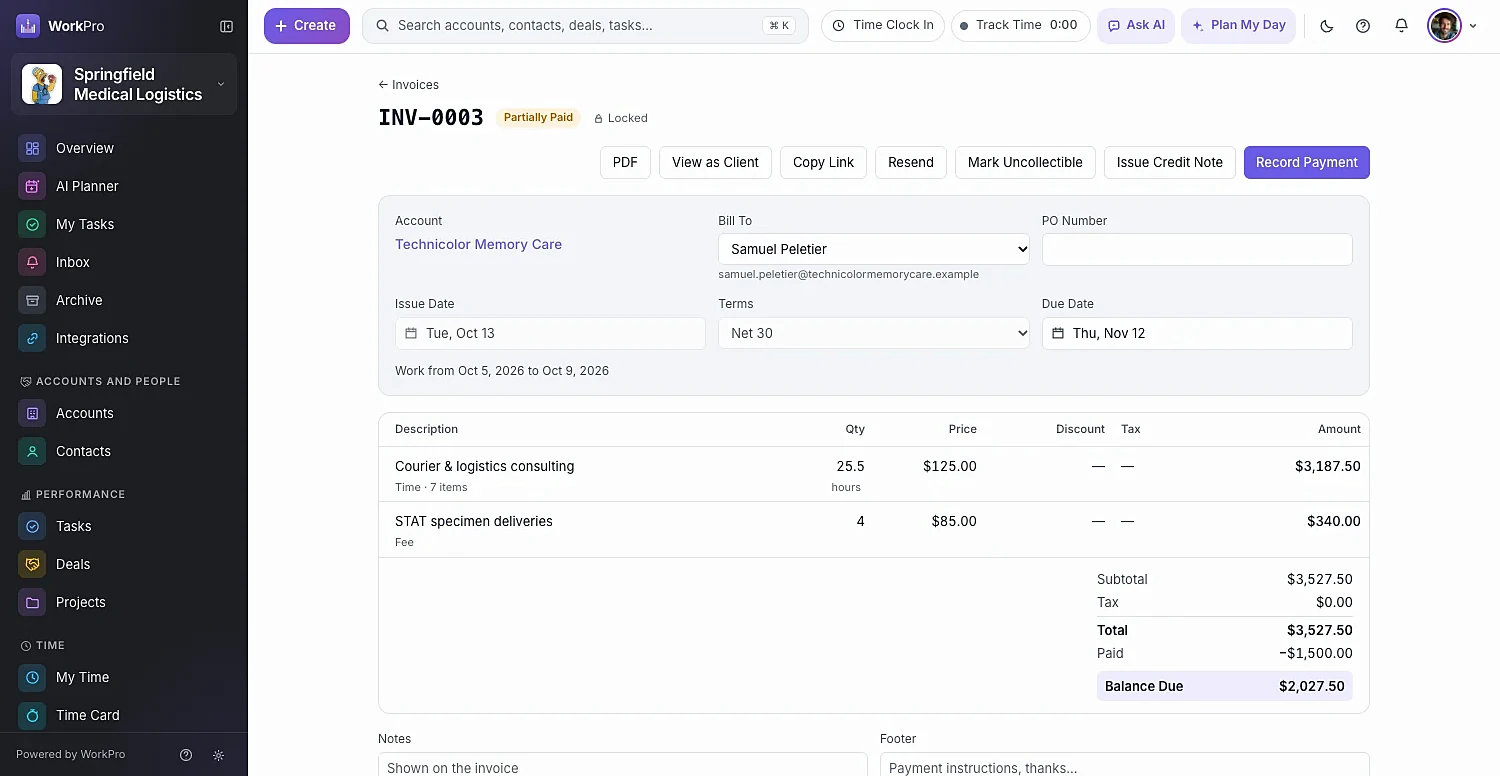
A partially paid WorkPro invoice with time and fee line items and the balance due
draft invoices for many accounts in one step
Bulk
draft invoices for many accounts in one step
aging buckets on the AR report, from current to 90+ days
5
aging buckets on the AR report, from current to 90+ days
sync of invoices and payments with QuickBooks Online
2-way
sync of invoices and payments with QuickBooks Online

Ready to Invoice

Everything billable, waiting in one place

Completed billable time, visits (with mileage) and tasks collect in Ready to Invoice. Pick a date range, check each account’s items, tick the accounts — or select all — and create draft invoices in one go.

  • Time entries become invoice lines automatically
  • Billing rates by person, role or service, each with an effective date
  • Rounding rules and mileage in miles or kilometers
  • Items on an invoice are locked so they can’t be billed twice
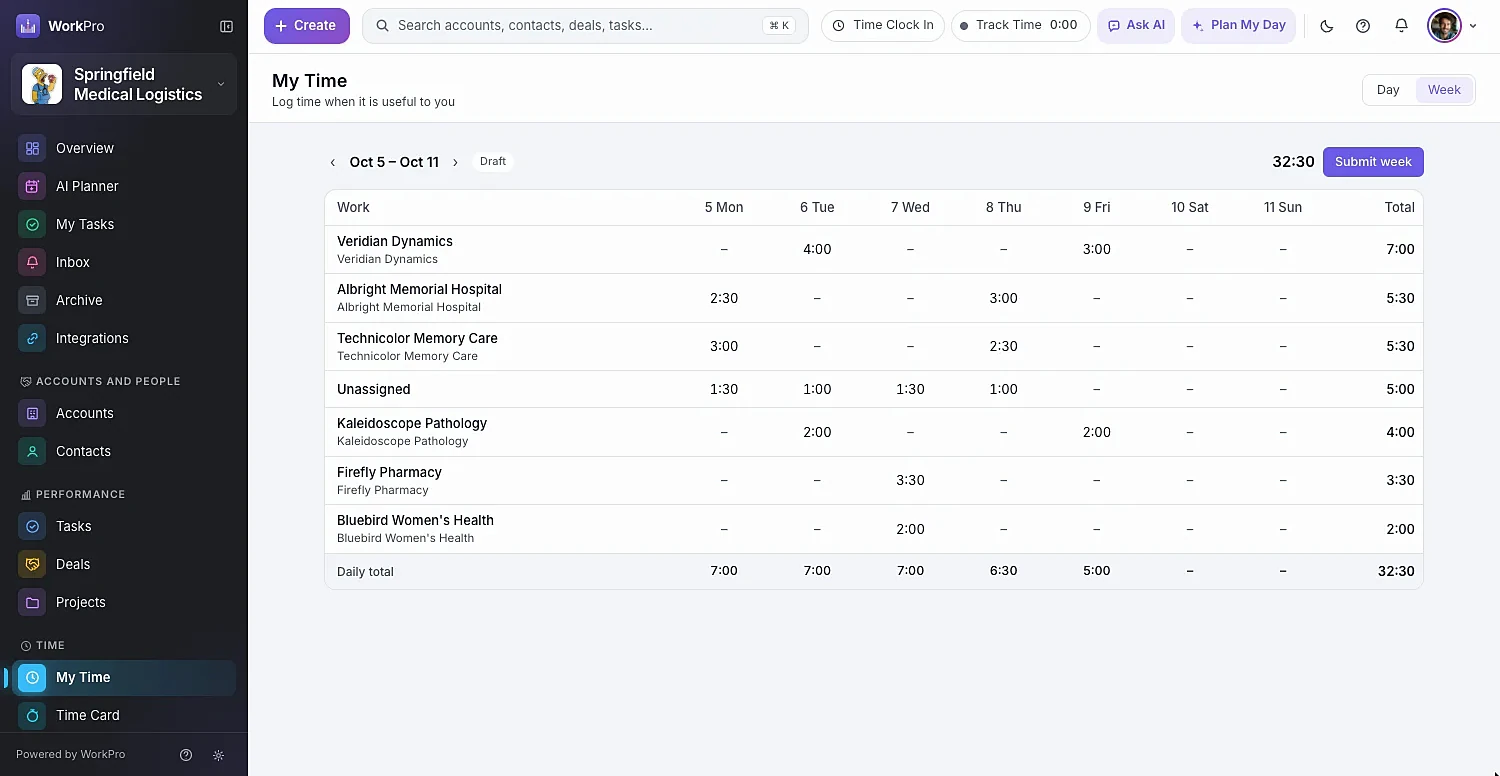
A weekly timesheet of billable hours that feeds Ready to Invoice

Invoices

Professional invoices with the controls finance wants

Build drafts with services, custom lines and discounts, per-line tax, payment terms, notes and a footer. Add an approval step before anything goes out, then send, share a no-login link, or download a PDF.

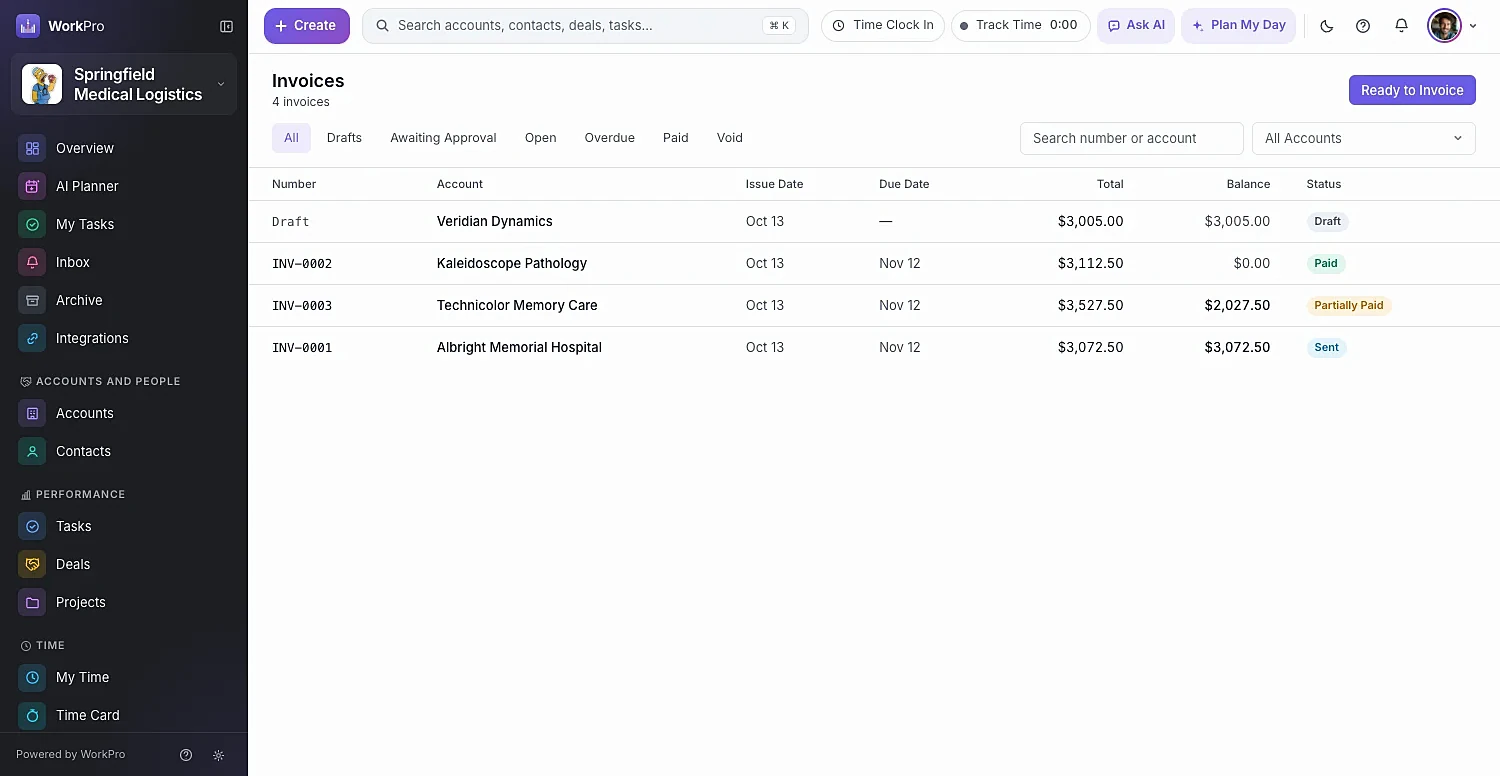
  • Status tabs: Drafts, Awaiting Approval, Open, Overdue, Paid, Void
  • Recurring invoices for retainers and maintenance plans
  • Credit notes, account credit and deposit requests
  • View as Client to see exactly what your customer sees
The WorkPro invoices list with status tabs and totals

Payments

Record payments and apply them in seconds

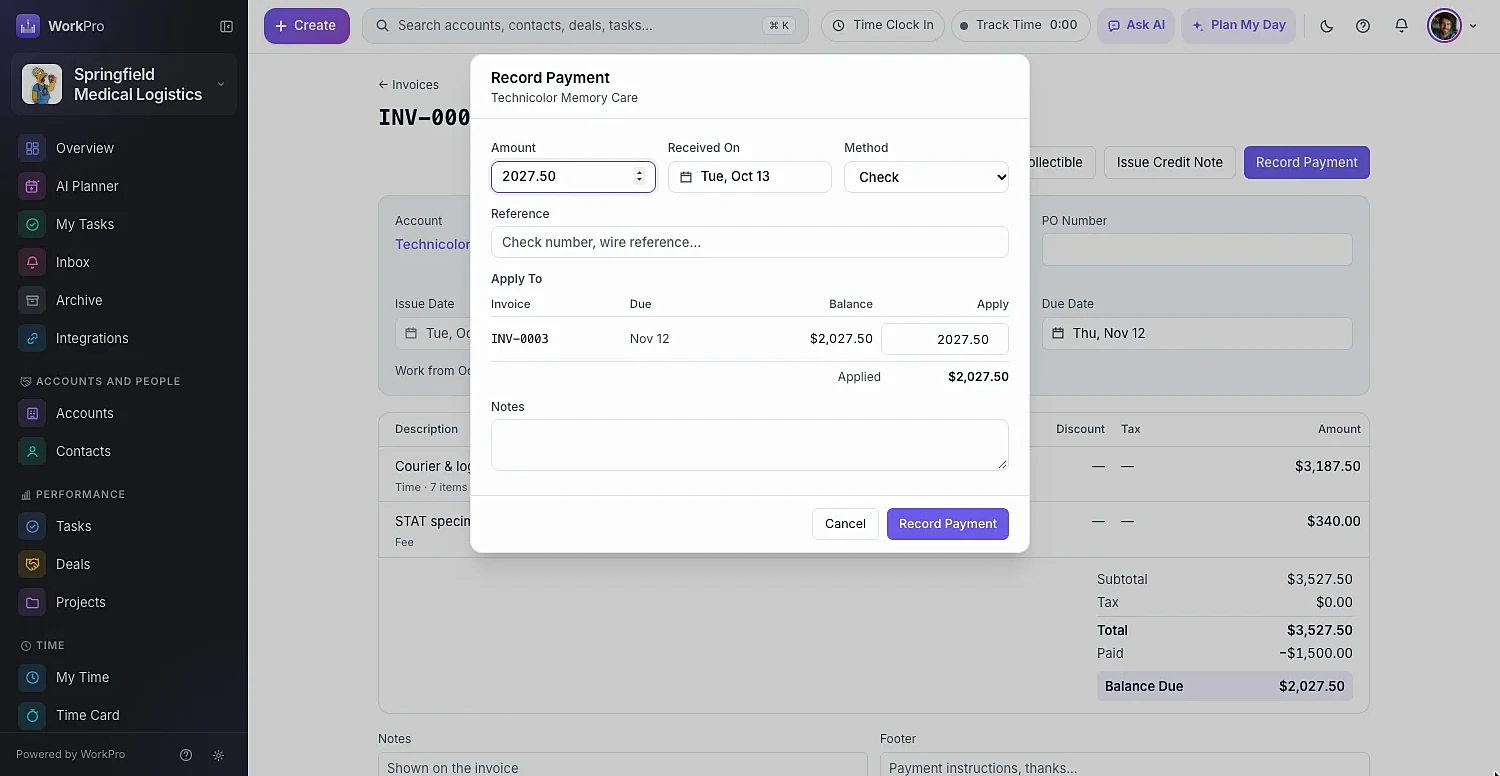
Record the amount, date and method, then apply it to specific invoices — or let WorkPro apply it oldest first. Each account’s Billing tab shows what’s ready to invoice, the balance owed, what’s overdue and any credit on account.

  • Multi-step payment reminder emails before and after the due date
  • Late fees as a percentage of the balance or a flat amount
  • Default and compound tax rates
  • Invoice numbering and payment terms your way
The Record Payment dialog with Apply To and Apply Oldest First options

Reports

Know what you billed, what you collected and what you’re owed

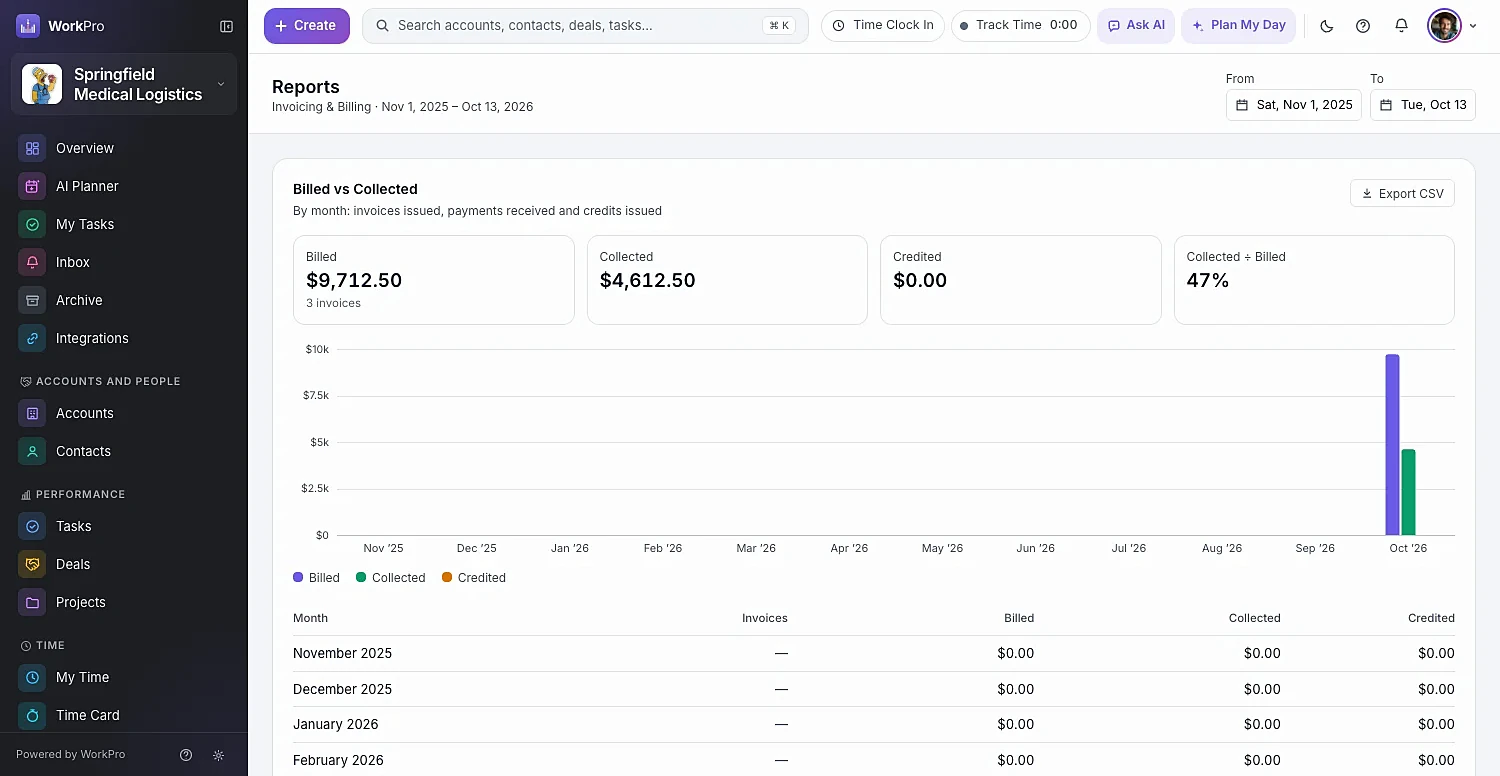
Billed vs Collected, AR aging, revenue by account and by service, plus the numbers service businesses live by: realization, utilization and unbilled work-in-progress aging. Every report downloads as CSV.

  • AR Aging: Current, 1–30, 31–60, 61–90 and 90+ days
  • Realization and Utilization by person
  • Unbilled (WIP) Aging so nothing goes stale
  • Sync invoices, payments and credit notes to QuickBooks Online
WorkPro invoice reports showing billed versus collected over time

Capabilities

A complete billing back office, inside your CRM

  • Invoice from a deal

    Quote with line items on the deal, then Create Invoice in one click.

  • Approval before sending

    Optional Submit for Approval with Approve or Return.

  • Recurring invoices

    Retainers and maintenance plans bill themselves on schedule.

  • Payment reminders

    Multi-step reminder emails before and after the due date.

  • Credit notes & deposits

    Issue credit notes, apply account credit and request deposits.

  • Late fees

    Percent of balance or a flat amount — applied consistently.

  • Realization & utilization

    See how much of your team’s time turns into revenue.

  • QuickBooks Online sync

    Invoices, payments and credit notes sync both ways.

  • Locked once billed

    Activities and time on an invoice are locked to prevent double billing.

Better together

It all runs on the same records

Every WorkPro module shares your accounts, contacts and deals — so the work flows from one to the next.

FAQ

Invoicing & Billing questions

Straight answers about what WorkPro does today. Can’t find yours? Ask us during a demo.

Can I invoice directly from tracked time?

Yes. Completed billable time entries, visits and tasks collect in Ready to Invoice, where you can review them by account and create draft invoices for many accounts at once.

Does WorkPro support recurring invoices?

Yes — recurring invoices are built for retainers and maintenance plans.

Can customers view invoices online?

Yes. Each sent invoice has a link your customer can open without signing in, and you can download or print a PDF. Use View as Client to see exactly what they see.

Does it work with QuickBooks Online?

Yes. WorkPro syncs accounts, billing contacts, services and products, invoices, payments and credit notes with QuickBooks Online, with a direction you choose for each record type.

What invoicing reports are included?

Billed vs Collected, AR Aging, revenue by account and by service, Realization, Utilization and Unbilled (WIP) Aging — all downloadable as CSV.

Run your whole business from one app

See WorkPro with your own pipeline, projects and invoices in a 30-minute walkthrough. We’ll help you import your data, too.